Book › Connections › Textures
Texture connections Fur · Lace
Material textures built from the connecting lines - combed fur and a lace net. They're connection styles in the Brush settings' Web tab, so any connecting brush can wear them.
What they are
These are connection art-style presets, not separate brushes. Like Classic, Web and Shaded, each one is just a set of values for the connecting lines - but tuned with direction and curl so the web reads as a material. Because the mark is made of many faint lines, the texture builds up as you cover an area: think “shade in a region”, not “draw one line”.
How to use
- Pick a connecting brush like Web (1).
- From the Brush settings' Web tab, choose Fur or Lace.
- Scribble back and forth to fill an area - heavier coverage = a more solid texture.
- The same Web tab holds the dials. The ones the texture actually uses show by default - Grain & Grain angle set the direction, Length / Flow / Wave shape the hairs, Weight / Spread set the size; the rest fold under More.
Fur
A combed pelt of soft, flowing hairs that lie along a grain direction, sweep the same way, taper to wispy tips and end at staggered lengths. Fill a silhouette and the long guard hairs fray its edges into expressive fur.
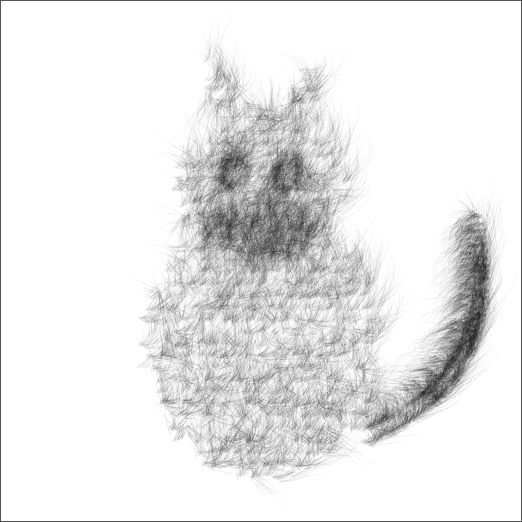
Tip: Length grows long flowing guard hairs, Flow combs them one way and Wave gives lifelike kink; Taper + Fray make the soft, ragged silhouette. Grain angle sets which way the coat lies; raise Density / Weight for a thicker pelt, or drop them for airy down. One limitation - the grain is a single global direction, so fur combs one way and can't follow a body's contours.
Lace
A fine crossing net of floating, dotted scallops (arc connections, a dotted dash, and inset ends so the lines don't pile up on the dots). It's at its best filling a shape with lace.
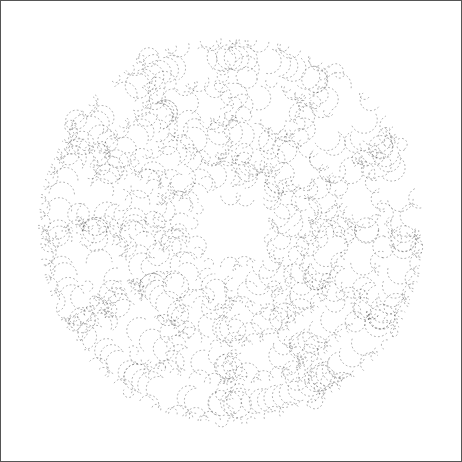
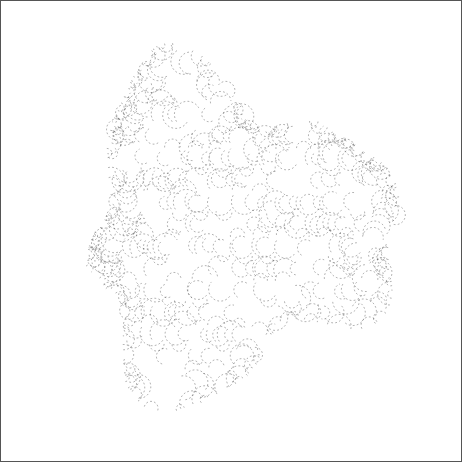
Tip: draw an outline and a sparse fill - the lace net forms between the points. You shape the outline; the net itself is emergent, so Lace is for texturing a form, not authoring a specific motif.
The dials behind them
A few dials in Connection art style give these presets their character - surfaced by default when a preset uses them, and there to mix for your own textures:
- Curl
- Bows the Curve line shape: 0 = straight, 1 = a strong arc.
- Grain & Grain angle
- Comb the web toward one direction: 0 = an even web, 1 = only lines along the grain survive. Crosshatch grain favours two perpendicular directions at once.
- Length
- Guard-hair extension: how far each hair reaches past its neighbour. 1 = stop at the dot; higher grows the long flowing hairs that make fur expressive.
- Wave
- Kinks each hair with a gentle wave so the pelt looks like living hair instead of a flat comb: 0 = smooth sweep, higher = wavier, flicking tips.
See Memory maps & connecting for the full list of connection controls, and Covering bigger areas for Strands, Spread & Dynamics.